Skip to content

AI process automation

AI automation for your business. One stable process, under your team's control.

We connect your CRM, inbox, documents, and work services into one route. The system handles repetitive actions while a person approves critical decisions.

How it worksFive control points
  1. 01
    Eventa form, email, booking, or status change
  2. 02
    DataCRM, spreadsheet, inbox, or work service
  3. 03
    Ruleclear logic or a bounded AI step
  4. 04
    Reviewa person approves the critical action
  5. 05
    Action and logthe result is saved and remains inspectable

Exceptions return to a person.

Real scenarios

What can actually be automated.

Not an abstract ‘AI system’, but a specific route with an event, rules, human review, and an inspectable result.

01

Requests without manual routing

What triggers it
Form, chat, or telephony
New contactAgreed priorityManager task
Where a person reviews
An ambiguous request goes to a person instead of being processed automatically.
What the team gets
One request queue instead of manual copying between channels.
02

Documents from CRM data

What triggers it
A deal reaches the agreed stage
Deal dataDocument templateField check
Where a person reviews
An invoice, act, or contract is sent only after approval.
What the team gets
A prepared document without re-entering the same data.
03

Reports and change alerts

What triggers it
A scheduled time or metric deviation
CRM + ads + financeShort summaryAlert
Where a person reviews
The manager sees the data source and decides whether action is needed.
What the team gets
A regular summary and a separate alert when something leaves the agreed range.
04

Bookings and reminders

What triggers it
A new calendar booking
ReminderResponse statusReschedule or call
Where a person reviews
An administrator receives every non-standard case.
What the team gets
Fewer manual reminders without losing control of the booking.
05

Your recurring workflow

What triggers it
A stable task repeats every week
Current-step mapSmall pilotRules and log
Where a person reviews
We expand the route only after validating its first bounded part.
What the team gets
A first manageable layer instead of a large reimplementation.

Before we start

Whether automation makes sense right now.

Worth validating now
  • the workflow is stable and repeats
  • data sources and access are known
  • someone owns exceptions
Organise this first
  • the rules live only in someone’s head
  • the logic changes every week
  • there is no access or workflow owner

Scope of this page

AI automation for business, in one place.

This page covers AI automation for business as a whole: connecting your CRM, inbox, documents and internal services into workflows that run without a person copying data between tabs. If you found this page searching for "AI and business automation", this is the right starting point — the five workflow examples above (routing, documents, reports, bookings, a custom recurring process) are the concrete shapes that automation usually takes.

A separate page, AI for business, is a catalogue of all fifteen AI directions we build — chatbots, agents, analytics, content, and this automation layer among them. Use that page when you are still deciding which direction fits your task; use this one once you already know the task is "connect systems and remove a manual step".

Automation and an AI agent solve different problems and are often combined. Automation moves data and triggers actions along fixed rules; an AI agent holds a conversation and decides what to say next. A CRM workflow that files a lead automatically is automation; a bot that qualifies that lead in a chat first is an agent. Many projects need both, in that order.

A practical way to scope your first project: write down one workflow exactly as it happens today, step by step, including who does each step and which system they open. Mark the steps that are pure data movement (copy, file, notify) versus the steps that need judgment (decide, reply, prioritize). The first group is what this automation page builds; the second is closer to an agent's job. Most businesses starting AI and business automation for the first time pick a workflow that runs at least weekly, has a clear owner, and fails loudly enough today that everyone already agrees it needs fixing — that combination makes the pilot easy to validate and easy to expand later.

Reference points from the five workflows above: request routing usually lands around from $200, a document flow around after scoping, and a reporting dashboard around after scoping. These are starting references, not a quote — the exact number depends on how many systems the workflow touches and how much of the logic needs a bounded AI step rather than a fixed rule.

How we work

We validate the route before we build it.

One workflow moves through four stages. Each ends with an output you can inspect before the next step.

01

Request analysis

We define the goal, processes, data, risks, and where AI can genuinely save the business time or money.

Stage outputTask map and ROI
02

Solution architecture

We define the roles of AI, deterministic logic, integrations, and people, then assemble scenarios and a prototype.

Stage outputArchitecture and prototype
03

Build and testing

We build the system, connect the data, and test both core and edge-case scenarios.

Stage outputWorking version
04

Implementation and growth

We put the solution into daily use, train the team, measure results, and plan the next modules.

Stage outputLaunch and growth

Our work

Projects with these capabilities.

An AI agent for the claims department: −2 staff and ₴730,000 saved per year — AQUATERM case study — project preview

AI agent + CRM for a service center · water heater manufacturer

An AI agent for the claims department: −2 staff and ₴730,000 saved per year — AQUATERM case study

AQUAТЕРМ (під NDA)

A water heater manufacturer. The claims department — three operators who handle a stream of inquiries every day: a customer writes or calls, the operator finds out the model, purchase date, and symptom, checks the warranty, identifies the…

  • AI-агенти та чат-боти
  • AI-автоматизація процесів
  • CRM and operational systems
View case
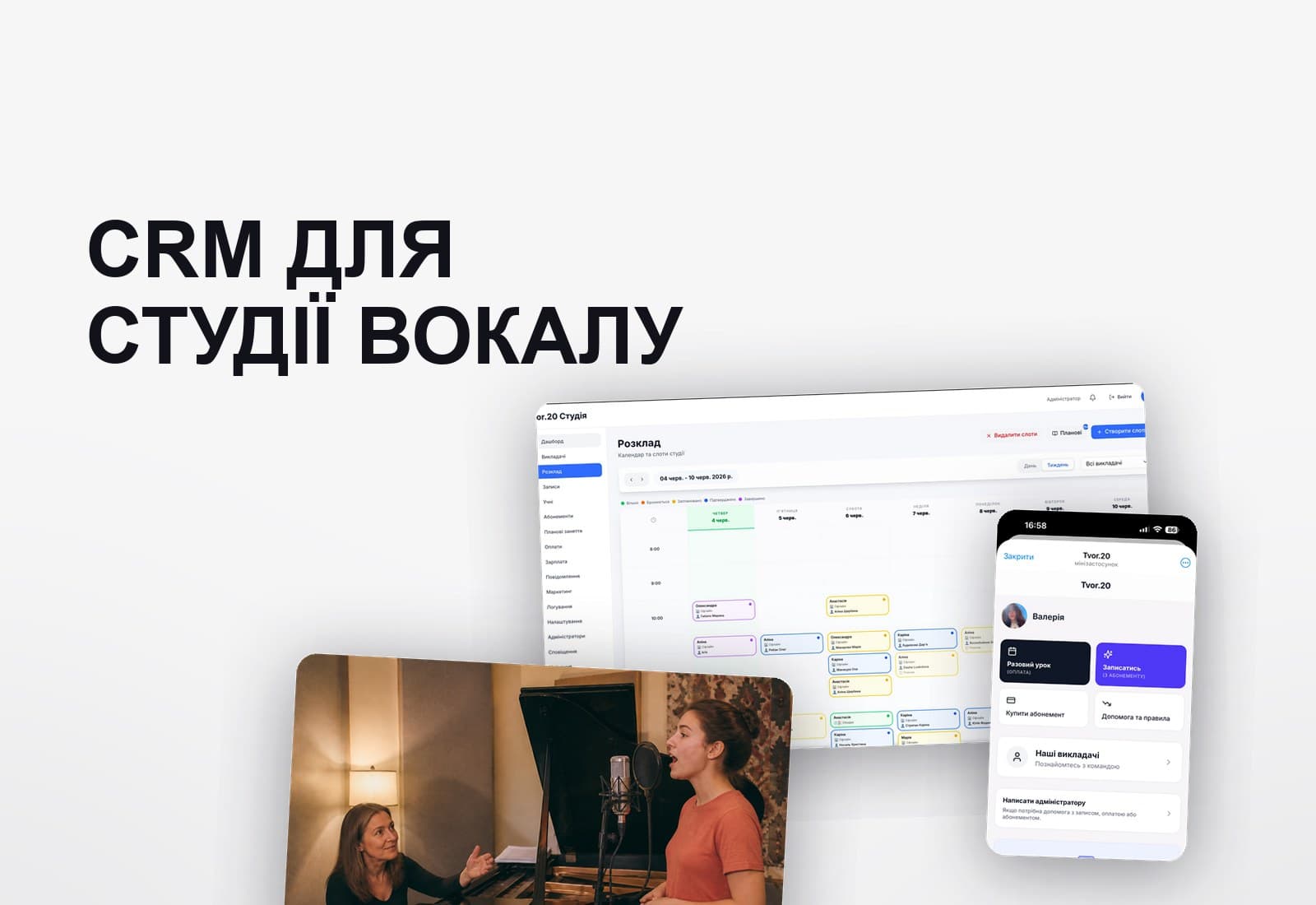
Turnkey CRM for a vocal studio: the studio's entire operation in one system — Tvor.20 case study — project preview

Vocal studio / music school

Turnkey CRM for a vocal studio: the studio's entire operation in one system — Tvor.20 case study

Tvor.20

A vocal studio runs on a stream of small actions: booking slots, cancellations, reminders, payments, deducting lessons from packages, calculating teacher payroll. While there are only a few students, it all lives in chats and spreadsheets.…

  • AI-автоматизація процесів
  • AI-продукти та розробка
  • CRM and operational systems
View case
Dostava — an AI delivery logistician for local businesses — project preview

A delivery dispatch platform for local businesses

Dostava — an AI delivery logistician for local businesses

In local businesses — restaurants, shops, and pharmacies — a dispatcher manages delivery manually through phone calls, messengers, and sticky notes. Couriers are not visible on a map, orders are assigned by guesswork, and routes are…

  • AI-автоматизація процесів
View case
Beauty-salon site + CRM — online booking, admin panel & Telegram bot — project preview

Beauty · beauty salon

Beauty-salon site + CRM — online booking, admin panel & Telegram bot

Most beauty salons run on Direct messages, phone calls, and a paper appointment book. A booking gets lost among messages, two clients are assigned the same slot, and the administrator does not manage to send reminders — which leads to…

  • AI-автоматизація процесів
  • AI-продукти та розробка
  • Web apps and SaaS
  • CRM and operational systems
View case
Elevator e-queue — clears the gate chaos in peak season — project preview

Agriculture · grain elevators

Elevator e-queue — clears the gate chaos in peak season

During peak season, a grain elevator turns into a traffic jam. Trucks arrive in crowds, drivers do not know when they will be admitted, and they keep calling the dispatcher. The dispatcher is buried in calls and has no complete picture of…

  • AI-автоматизація процесів
  • AI-продукти та розробка
  • Web apps and SaaS
View case
A store for US electronics with AI assortment analytics — USTECH case study — project preview

Online store for US electronics + AI admin panel

A store for US electronics with AI assortment analytics — USTECH case study

USTECH

USTECH is a store for genuine US goods: electronics, home appliances, tools, household items. Everything is already in Ukraine — imported, cleared through customs, ready to ship. There are two pains here, on opposite sides of the screen. On…

  • AI-автоматизація процесів
  • AI-продукти та розробка
  • E-commerce
  • AI analytics
View case

Preliminary cost

Reference ranges before workflow review.

These are preliminary references, not a ready proposal. The final scope depends on rules, integrations, access, and human-control points.

01

One simple workflow

from $200

For example, request routing

02

Several integrations

from $1,000

More involved logic and dependencies

03

Document workflow

after scoping

One agreed document type

04

Reports and alerts

after scoping

After data-source review

05

A custom recurring workflow

from $1,000

After the first route is mapped

Support for one system: $100 / month for 4 hours or $250 / month for 10 hours; without a plan: $30 / hour. Model APIs and external services are separate. Scope is confirmed after access and dependency checks.

Important questions

Before the first conversation.

01Process automation: what is included?

Micro task from $100; one process from $200; process chain from $500; automation suite from $1,000. Agreed standard connections, field mapping, error handling, testing, launch and instructions. Examples describe possible tasks. Current steps, the trigger, intended output and system access. A simple process covers up to three existing systems with standard connections. Process: 2–3 working days; chain: 5–7; comprehensive workflow: from 10.

02Process automation: configurations, options and prices

Інший / нестандартний функціонал: Custom quote. Додаткові можливості поза погодженою комплектацією. Вартість і строк визначаються після опису завдання. One process: from $200. Від $200 за один завершений простий процес. Один старт і результат, до 3 наявних систем зі стандартним API/конектором; потрібні підключення, зіставлення полів, обробка помилок, тестування, запуск і коротка інструкція. Приклад: форма → CRM → Telegram. Орієнтир 2–3 робочі дні після доступів і погодження обсягу; складність може збільшити строк і ціну. Це альтернатива мікрозадачі від $100, ланцюжку і комплексу, не доплата. Process chain: from $500. Ланцюжок взаємопов’язаних етапів із погодженими умовами, перевіркою статусів і зворотними діями. Приклад: заявка → оплата → доступ → сповіщення. Від $500, орієнтир 5–7 робочих днів. Повна обрана комплектація, не доплата до іншої бази. Complex automation: from $1 000. Від $1000 за погоджений комплекс взаємопов’язаних процесів для відділу або визначеної частини бізнесу. Перевірки, контроль помилок і сповіщення у погодженому складі. Строк від 10 робочих днів після визначення обсягу. Не необмежена автоматизація всіх процесів і не розробка нової CRM/SaaS. Альтернатива іншим базам, не сума пакетів. Prozorro monitoring: from $250. Від $250 за моніторинг закупівель за погодженими критеріями. Спосіб базового отримання результату, частота, обсяг і поля визначаються в завданні. Без AI-аналізу документів, CRM і подання пропозицій. PA06 — той самий сценарій, не друга доплата. AI tender assistant: from $400. Від $400, моніторинг TND01 ВЖЕ ВХОДИТЬ. Синхронізація — окрема оцінка, якщо її не включено в погоджену комплектацію. Формати/обсяг документів та AI API окремо визначаються. Не включає CRM, подання пропозицій або торги. Tender process in an existing CRM: from $400. Від $400. Робоча основа з тендерний асистент + процес в одній наявній CRM (картка, етапи, відповідальний, строки, нагадування); остаточний склад уточнюється в кошторисі. Не називати будь-яку складну CRM-систему повністю включеною за $400. Нова CRM, додаткові незалежні синхронізації та автоподача пропозицій — окремі задачі. Синхронізація результатів моніторингу: Custom quote. Варіанти: таблиця / Google Sheets, Excel, CRM або інша система; погоджуються поля, напрям і частота обміну та додаткові дані. Складний або додатковий обмін: Custom quote. Враховувати тільки додаткову роботу понад погоджений пакет. AI-обробка у процесі: Custom quote. Витяг даних, класифікація, підсумки чи генерація за допомогою AI — окрема функція/узгоджена частина процесу. Це не обов’язково окремий повний AI-агент від $400. API-споживання й підписки окремо. Small automation task: from $100. Від $100 — невелика окрема задача в межах наявного середовища: наприклад одне просте правило, повідомлення або перетворення підготовлених даних. Стандартний процес від $200. Не додається до іншої комплектації за ту саму роботу. Точний склад і строк оцінюються.

03Process automation: scope boundaries

The 30 scenarios are task options to choose from. Custom functionality, tender solutions and external costs are scoped separately.

04I do not know what to automate. Is that a problem?

No. During the first conversation we map one real route: what triggers it, where time is lost, what data is available, and which action a person must approve.

05How is this different from Make, Zapier, or n8n?

Those tools can be part of the solution. The choice between a builder, custom code, or a hybrid depends on logic, load, access, and support cost.

06Can we automate only part of a workflow?

Yes. We start with one painful segment, validate its quality, and only then decide whether adjacent steps should be connected.

07What happens if the workflow changes?

Where feasible, frequently changed parameters become settings. Logic changes are reviewed separately for impact and testing.

08What if the AI makes a mistake?

Critical actions are never handed to a model without controls: we use fixed templates, human approval, action logs, and exception alerts.

Start with one workflow

Show us the process that takes up time

Tell us which actions the team repeats manually, between which systems it moves data, and where delays occur. We will determine what can be automated.